 NLE BoardPalLog in
Built by a topnotcher, for future topnotchers
Top the PNLE,one question at a time.
Practice questions with full rationales, a day-by-day plan, and an honest readiness score, so you know you're ready before exam day.
Join 10,000+ students reviewing on BoardPal
Free to start · 10 questions + 5 flashcards a day · Phone, tablet or laptop

17
of the August 2026 PNLE topnotchers reviewed with BoardPal
- Top 2

Clifford Cafe
- Top 5

Allanah Tubal
- Top 7

Deserie Duhaylungsod
- Top 10

Alynah Alicaway
- Top 10

Danica Calantoc
- Top 10

Vianca Guarin
- Top 10

Johanna San Jose
- Top 10

Lance Santos
11,000+
questions with rationales
3,000+
spaced-repetition flashcards
5
full PNLE mock boards
155
TOS-aligned topics
46
illustrated cram sheets
Daily
study plan to your exam date
Free · No sign-up needed
Try one of our questions.
In dengue, the highest risk of plasma leakage usually coincides with the ______ phase, even as the child appears to be improving.
Student stories
In their own words.
- Top 2
Clifford Jay Cafe
Ateneo de Davao University
“NLE BoardPal helped me track my progress across different subjects and see which areas I was good at and which ones I still needed to improve … The mock boards also felt like taking the actual board exam.”
Top 2 · August 2026 PNLE
- Top 5
Allanah Beatriz Tubal
University of St. La Salle
“Start using the app during your college years, and be consistent. Be intentional, study smart!”
Top 5 · August 2026 PNLE
- Top 7
Deserie Joyce Duhaylungsod
Cagayan de Oro College
“BoardPal has been such a huge part of my review journey … Thank you for all the help and guidance you've given us.”
Top 7 · August 2026 PNLE
- Top 10
Alynah Gabriele Alicaway
Ateneo de Davao University
“BoardPal was a great help to me during the last few weeks before the boards, especially in areas I knew I was weak in. I was able to apply a lot of what I learned from BoardPal during the actual exam, and I honestly can't imagine how my review would have gone if I hadn't discovered BoardPal.”
Top 10 · August 2026 PNLE
- Top 10
Danica Calantoc
Saint Louis University
“BoardPal was such a huge help during the last days of my review season. It also helped me strengthen my test-taking and comprehension skills … Thank you again to the entire BoardPal team!”
Top 10 · August 2026 PNLE
- Top 10
Vianca Abegail Guarin
Cebu City Medical Center College of Nursing
“As a student who only had two months to prepare for the boards, I utilized the majority of my non-lecture time answering practice questions on BoardPal … It greatly helped me improve my critical thinking skills.”
Top 10 · August 2026 PNLE
- Top 10
Johanna Maisie San Jose
University of St. La Salle
“BoardPal has really been helpful during the last month of review. Kudos to you and the team for creating the website! May it help more future nurses in the coming years.”
Top 10 · August 2026 PNLE
- Top 10
Lance Martin Santos
Calamba Doctors' College
“One of the best PNLE websites made. I wish this had been developed earlier, because I really would take the 1-year offer if given another chance!”
Top 10 · August 2026 PNLE

Lheanne Aizel Delegero
Saint Louis University
“From the study plans and simplified cram sheets to the practice questions and flashcards, BoardPal helped me understand and retain topics better … Truly one of the best decisions I made during my review season!”
Passed · August 2026 PNLE

Marie Joy Apog
Southwestern University PHINMA
“I maximized BoardPal, especially the cram sheets, to help me focus on the high-yield basics, and it made reviewing feel more manageable and less overwhelming … I genuinely felt heard and supported throughout my review.”
Passed · August 2026 PNLE
What you get
See exactly what you're getting.
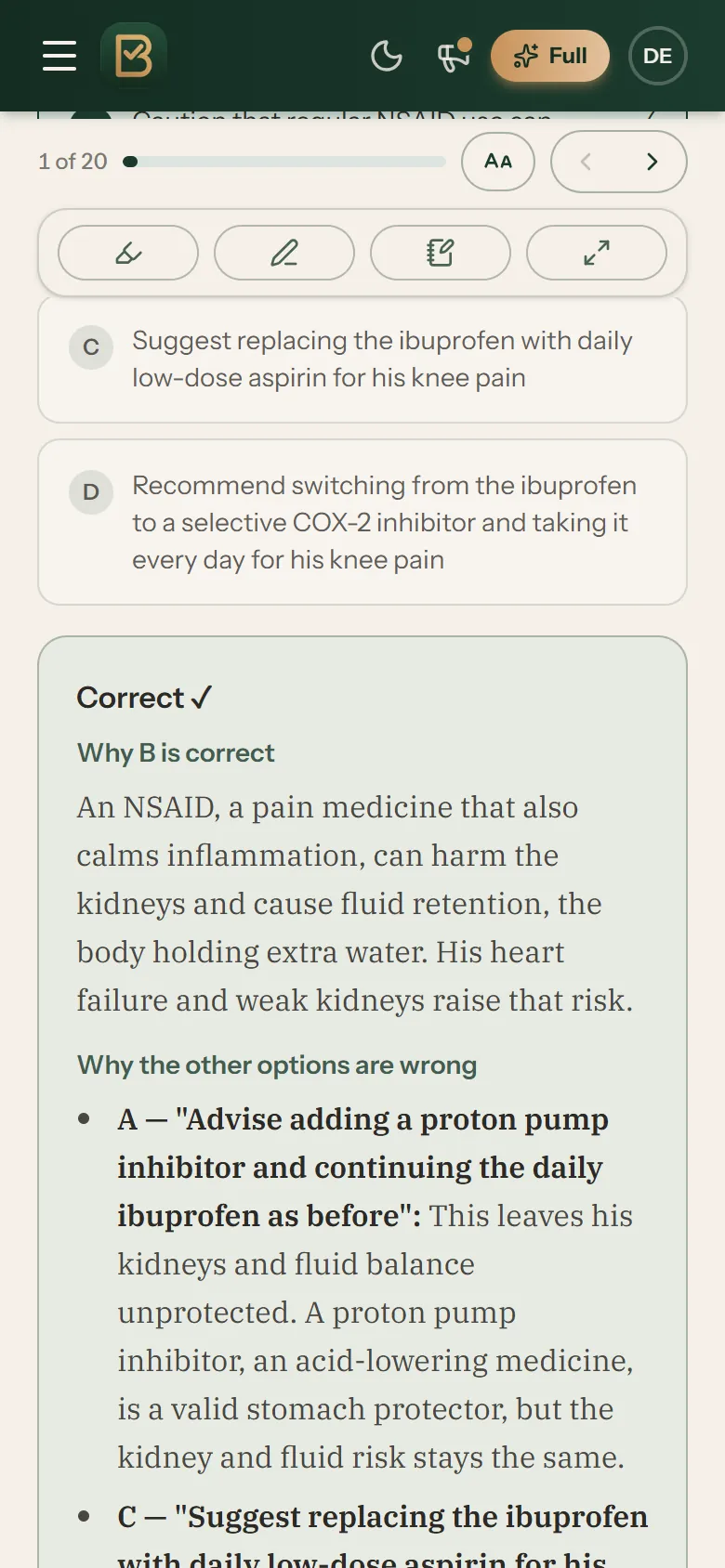
Practice
Practice that teaches.
Every answer comes with a rationale: why the right choice is right, and why the others aren't.
Start free →Cardiovascular
The conduction system, labelled, then how to read a strip in order.
Cram sheets
High-yield cram sheets, fully illustrated.
- Diagrams, sign maps and compare tables instead of walls of text
- Built on the same TOS topics as your study plan
- Highlight, annotate and bookmark right in the reader
Pricing
Start free. Upgrade when you're all in.
Everything is included in every plan. Just pick your timeline.
Free
₱0
Everything you need to start the habit.
- 10 practice questions a day, full rationales included
- 5 spaced-repetition flashcards a day
- One free diagnostic exam, reviewable anytime
- Full readiness analytics: projected rating and pass probability
- Your day-by-day study plan, read-only
- Rankings, study guides, and sample cram sheets
Official plans
Full Access
from ₱299
₱299
1 month
₱499
2 months
₱999
1 year
- All 11,000+ questions, no daily limit
- All 3,000+ spaced-repetition flashcards, no daily limit
- All 5 full PNLE-format mock boards
- Full study plan: tick off tasks, move them, and catch up in one tap
- All 46 illustrated cram sheets
- The Vault for your misses, saved automatically
Pay with GCash, Maya or any bank app through QR Ph. Access turns on by itself, usually within a minute.
Both plans are built on the official PRC Table of Specifications: all 155 topics, nothing off-syllabus.
Questions, answered
Is it really free to start?+
Yes. Free accounts get 10 practice questions and 5 flashcards every single day (flashcards personalized to your weak areas), the free diagnostic exam, your first full mock board, and sample content — no card, no strings. The full bank, scheduler, and analytics are part of full access.
Who built this?+

Byron Chu, RN — a PNLE Top 10 placer (Rank 8, November 2025) who graduated BSN magna cum laude from Cebu Normal University. Since then he has worked as an exam rationalizer for a review center, assists in creating exams for a special nursing review program, and works as a medical virtual assistant — alongside founding a business in digital marketing and systems creation. He built NLE BoardPal to help nursing students prepare more effectively — through structured schedules, practice questions, flashcards, mock boards, and performance analytics — the system he wishes he'd had during his own review.
Where do the questions come from?+
Every question is written or hand-verified by Byron and the BoardPal team before it enters the bank, tagged to the official PRC Table of Specifications, and carries a rationale. If something looks off, every question has a built-in report button — flagged items go straight to BoardPal Support for review.
Which plan should I pick?+
Work backwards from your exam date. If the boards are about a month away, the 1-Month Plan covers the sprint. Two months is the typical full review timeline. If you're starting early or taking a later sitting, the 1-Year Plan works out cheapest per month by a wide margin and carries you the whole way through.
How do I pay?+
Through QR Ph, the Philippines' standard payment QR. Choose your plan, and a QR code appears — scan it with GCash, Maya, or your bank's app and confirm. No receipt to upload and no waiting for verification: your access switches on automatically as soon as the payment clears, usually within a minute.
See all questions →Show fewer questions
About BoardPal
What exactly is PNLE BoardPal?+
A daily review system for the Philippine Nurse Licensure Examination (PNLE). It combines a TOS-aligned question bank with rationales, a day-by-day Study Plan built around your exam date, PNLE-format mock boards, spaced-repetition flashcards, and readiness analytics — so you always know what to do today and how close you are to passing.
Is there a BoardPal app?+
BoardPal installs as an app straight from your browser, no App Store needed. On iPhone or iPad, open BoardPal in Safari or Chrome, tap the Share icon, then choose Add to Home Screen. On Android, Chrome offers Install app from its menu. You get a full-screen app with its own icon, and your account and progress stay the same across every device.
Can I use BoardPal on more than one device?+
Yes. Your account is not tied to any device. On your phone, tablet, or laptop, go to www.nleboardpal.com and log in with the same email address and password, and your Study Plan, progress, streak, notes, and full access are all there. You can stay logged in on several devices at once and switch between them any time. Forgot your password? Tap Forgot password on the login page and a reset link is emailed to you.
How does the Study Plan work?+
You give it two dates: when you start and when you take the boards, plus how much time you can study per day (1.5 to 6 hours — or let BoardPal pick what fits your timeline). It lays out all 155 topics in teaching order (foundations first, then NP1 to NP5), or only the exam sections you still need to sit if your boards were split, sizes every day to your chosen time, schedules your practice questions and flashcards, places the 5 mock boards at checkpoints, and keeps the final days for reviewing your weak spots. Fall behind? One tap rebalances everything — nothing piles up.
Can I remove or change a task the study plan gave me?+
Yes. Tap any task on your Study Plan (or on Home's Today's Plan) and choose Skip this task. It stays on the calendar, faded, and stops counting toward your progress, the slipped-tasks nudge, and your study reminder. Tap it again to put it back. You can also move a task to another day, tick it off, add a practice topic or your own entry to any day, and change your dates, exam sections, daily time, and rest days. Skipped tasks stay skipped when your plan rebuilds. A skipped topic still comes back once later as a short Revisit set, so nothing on the exam is left out entirely.
Can my study plan cover only NP4 and NP5 (or any mix of sections)?+
Yes. On the Study Plan page, open Plan settings near the top and tap Exam sections to pick Everything, Day 1 only (NP1 to NP3), Day 2 only (NP4 to NP5), or tick any mix of sections yourself. Your remaining days rebuild around the sections you picked, only the matching mock board day is scheduled, everything you have already finished carries over, and your previous plan stays restorable. Mock board sections can be taken in any order, so a Day 2 plan goes straight to NP4 and NP5. The same choice is offered when you build a new plan, and your Home page shows which sections your plan currently covers. A plan covering only some sections can be as short as five days; if that lands more study time on each day than you chose, the Study Plan page says so.
Can I see my study plan in Google Calendar?+
Yes, with full access. On your Study Plan page, open Add to my calendar (below the calendar) and choose Google, Apple or Outlook Calendar. Google adds a calendar from a computer only, so on an Android phone tap Email me the link, open that email on a laptop and click Add. Then, on your phone, open the Google Calendar app, tap Menu, then Settings, tap BoardPal Study Plan (under Show more) and turn on Sync. From then on your calendar follows every change to your plan by itself, usually within a day.
Can I start a mock board over, or retake one?+
Both. A finished board (all five sections in) has a Retake button that starts a new attempt, and your earlier scores stay on the board as its highest, latest, and average. A board you stopped part-way has a Start this board over link just under its sections: the sections you submitted are set aside, all five come back fresh with a full 2-hour clock, and if the board is on your study plan, both of its days return to the plan. A restarted board counts as a retake, not a first attempt, because you have already seen part of that paper. Nothing is deleted either way.
Can I clear my Vault?+
Yes. At the bottom of the Vault's start card, tap Clear my Vault. Every question in the pile leaves at once, the same as tapping I've got this on each one, and anything you miss again comes straight back. Your history, streak, and topic scores are untouched. To clear questions one at a time instead, answer them correctly in a Vault run or tap I've got this on the ones you know.
Does redoing a question change my score?+
Your rating, pass estimate, subject scores and leaderboard place all come from your first try on each question, so redoing a question never raises or lowers them. That keeps the rating honest: right after seeing an answer, almost everyone gets it right. Each topic also shows a Now score beside its first try. A redo counts toward Now only when it comes at least 3 days after you last answered that question, because by then it shows what you remember of the topic. Clearing your Vault changes neither number.
How do flashcards work?+
BoardPal flashcards use spaced repetition. After you flip a card, you rate your recall (Again, Hard, Good, or Easy), and that rating decides when the card returns: cards you struggled with come back sooner, cards you know well wait longer. The flashcard number on your schedule is that day's planned review load, not a cap. Your daily goal in Study preferences works the same way: it sets the meter and the size of each batch, and with full access, finishing a batch offers to keep going. Cards you don't get to are never lost; they stay in your queue and are served the next time you review. If you mis-tap a rating, the Undo button walks it back, and every deck page has a "Start this deck over" button when you want a completely fresh start on that deck. On the free plan, the daily flashcard allowance still applies.
Can I use a Bluetooth keyboard or a game controller?+
Yes. Any Bluetooth keyboard works, and so does a game controller that has a keyboard mode. On an 8BitDo Micro, for example, slide the switch on the bottom edge to K, hold the pairing button for about a second, add it under Bluetooth on your phone, then give each button a key in the free 8BitDo Ultimate Software app. In practice sets, the mock boards and the diagnostic, the number keys 1 to 4 pick an answer and Space or Enter submits or moves to the next question; in the mock boards, Backspace or the left arrow goes back one question. In flashcards, Space flips the card, 1 to 4 rate it, and Z undoes a rating. On a phone the keyboard-shortcuts icon appears in the toolbar as soon as you press a key, and it lists everything the pen and highlighter respond to as well.
Will BoardPal guarantee that I pass?+
No tool can promise that, and you should be suspicious of any that does. What BoardPal does is make the proven method — daily active recall, honest analytics, full-length simulation — almost automatic. The work is still yours; we just make sure none of it is wasted.
About Byron
Why should I trust the method?+
Because it isn't a secret — it's disciplined active recall, spaced repetition, prioritization frameworks, and full-length stamina training, the same things every topnotcher describes. BoardPal's job is to remove the planning burden so you actually do them daily.
Where can I follow Byron?+
On TikTok at @loonachoo.rn, where he shares PNLE strategy, high-yield content, and free resources for future RNs.
Plans & payments
What does full access include?+
Everything: the full TOS-aligned question bank with rationales, your day-by-day Study Plan, all 5 full-length PNLE mock boards, spaced-repetition flashcards, all 46 illustrated cram sheets, and your readiness analytics. Three plans, so you only pay for the review timeline you actually need — ₱299 for 1 month, ₱499 for 2 months, ₱999 for 12 months.
Why support BoardPal?+
Your payment directly supports an independent Filipino nurse building an honest, affordable review tool — and every peso goes into more questions, more cram sheets, and a better app for the PNLE takers who come after you. You're not just buying access; you're helping build something for the profession.
What happens when my plan ends?+
Your account stays — your history, streak, analytics, and Vault all remain exactly where you left them. You simply drop back to the free daily allowance, and you can pick up any plan again whenever you're ready. The full cram sheets lock until you renew, but your marks on them are kept. To keep your own copy, open a sheet, tap PDF, and choose With my marks before your plan ends. Nothing is deleted and nothing renews on its own; every plan is a one-time payment, so you're never auto-charged.
Know you're ready before exam day.
Start freeFree to start · 10 questions + 5 flashcards a day